Shopify ad profit tools
Know if your Shopify ads are actually profitable.
Calculate contribution after discounts, included tax, COGS, shipping, payment fees, refunds, packaging, and ad spend. Find your break-even ROAS and max CPA before scaling a SKU.
Free Shopify profit after ads calculator
Enter one SKU's price, discount, tax or VAT, variable costs, refund reserve, and CPA. The calculator shows SKU contribution after ads, contribution margin, break-even ROAS, and max CPA.
Track the same math across every SKU
The paid Excel workbook helps sellers compare products and label each SKU as scale, watch, pause, or fix before moving more ad budget.
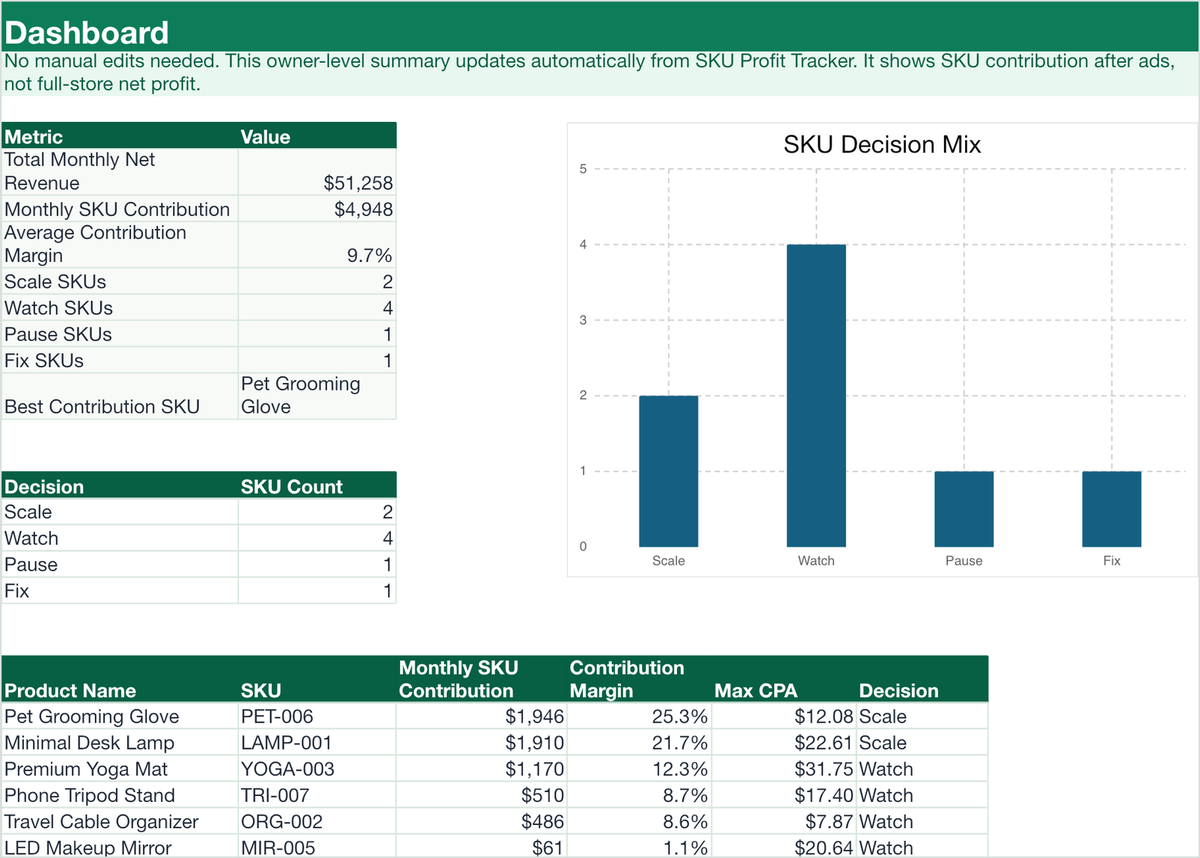
Dashboard overview
See SKU decisions, contribution margin, break-even ROAS, and max CPA in one place.

SKU Profit Tracker
Fill in list price, discount, tax or VAT, product cost, shipping, packaging, fees, refunds, and CPA.
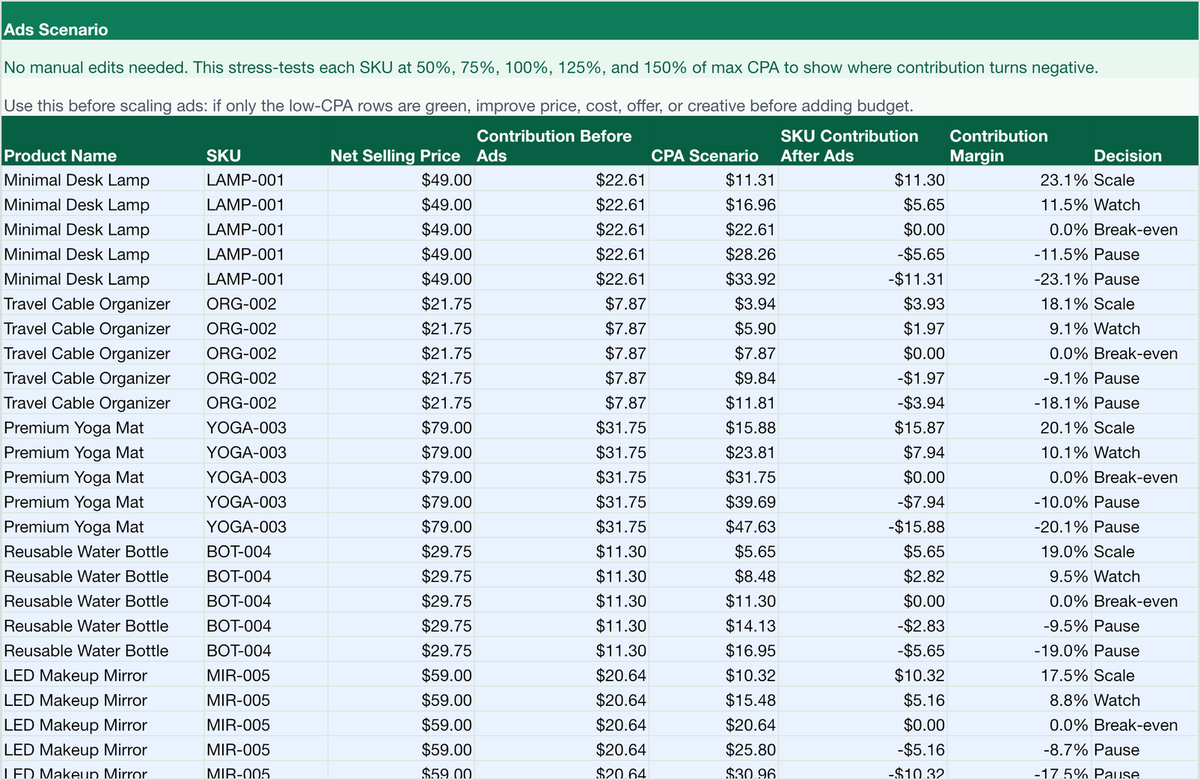
Ads Scenario
Stress-test SKUs at lower and higher CPA levels before adding budget.
Ecommerce profit calculators for SKU decisions
Profit by SKU helps sellers compare real product margin after shipping, payment fees, refunds, and advertising costs. Start with the Shopify profit after ads calculator, then use the Excel workbook to track more products by SKU.
Want the definition and formula first? Read the SKU profitability guide →
Use the calculator first, then compare more SKUs
The free calculator is best for checking one product quickly. The Excel sheet is for sellers who want to compare many SKUs, sort them by decision, and keep the same profit-after-ads math in one workbook.